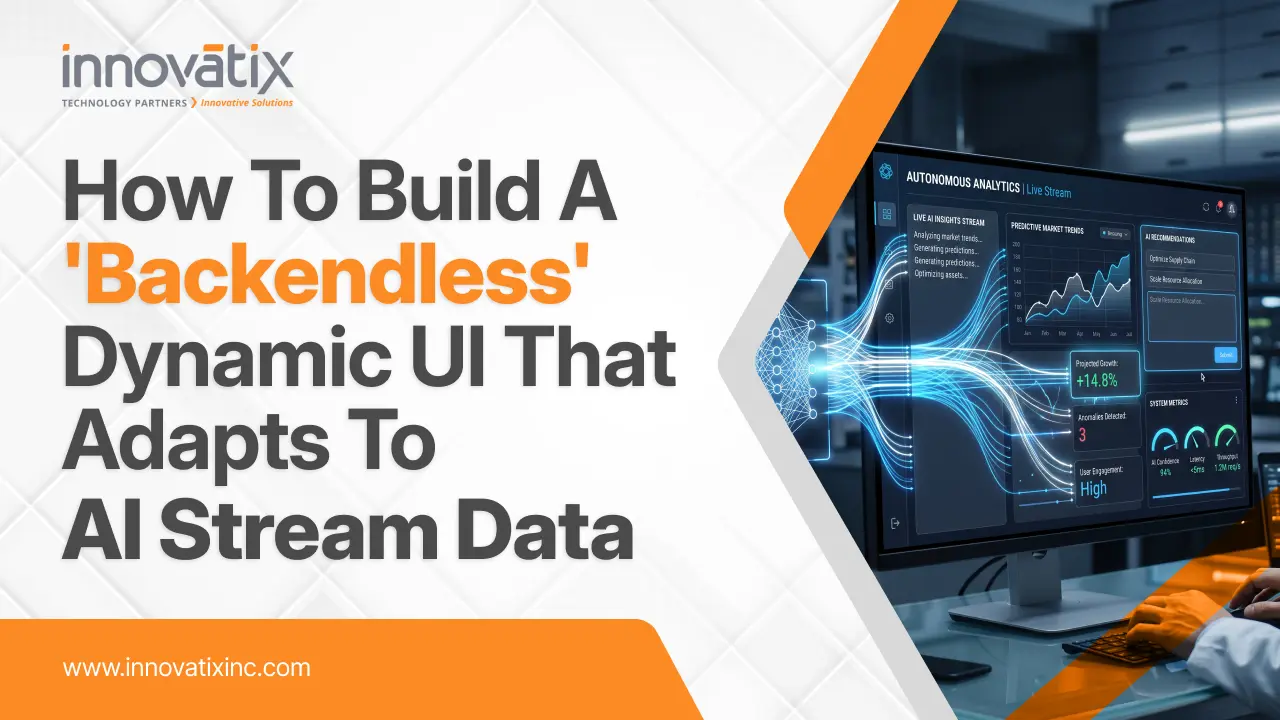

How to Build a “Backendless” Dynamic UI That Adapts to AI Stream Data

The static dashboard is dying – and nobody’s noticing. Over the last decade, web app architecture had been pretty predictable: product teams mocked up fixed layouts, backend engineers built specialized database queries to serve specific data fields, and frontend developers bound those fields to static visual components. When a user wanted something new to visualize, or wanted to view the data from a different angle, someone had to file a ticket, write new code, create a pull request and deploy an update. Then came along Generative AI and dashed those user expectations. People no longer want end-users to read plain text blocks or wait weeks for the devs to put out new layout configurations. They want flexible interfaces that can bend, move, and create various UI elements dynamically based on the AI agent’s instructions. If a user requests an AI assistant to “Compare Q3 revenue among regions and identify supply chain constraints” he does not want a bulleted text summary. They are expecting an interactive data grid, a bar chart and a highlighted risk badge to be dynamically created right in front of their eyes. Welcome to the era of the Adaptive Interface. Here is how you can build a dynamic UI that responds directly to streaming AI data using modern web meta-frameworks and structured design systems—along with a step-by-step blueprint to help you transition from a static layout developer to an adaptive interface engineer. What Does “Backendless” Mean in an AI-Driven World? To be clear, “backendless” doesn’t mean that your application doesn’t have a server or database. Instead, it’s about frontend teams no longer having to craft, rigid, backend API controllers for each and every UI state. For old architectures, creating a new card, filter, chart, meant creating a new backend endpoint that worked with their data in the exact same format. In a backendless, adaptive architecture the server is used essentially as an orchestrator/stream handler. The AI agent dynamically adapts the content that should be shown, depending on the user’s intent and the business context in real time. It sends structured instructions of the user interface directly to the client application, which immediately reads the stream and dynamically fills in pre-built user interface elements with fully interactive parts. Whitepaper – Low-Code and No-Code Development: Opportunities and Limitations This whitepaper provides a strategic evaluation of low-code and no-code development platforms, analyzing their benefits for rapid application delivery alongside their security, scalability, and governance limitations compared to traditional software engineering. Download Whitepaper The Architectural Blueprint: 4 Steps to Building Adaptive UIs A flexible client-server agreement is essential to transition from fixed layouts to streaming, AI-powered components. Here is the architectural plan for creating an adaptive interface with the modern Next.js Server Actions and component-based design systems. Step 1: Establish Your UI Primitive Registry An AI model should never create HTML or inline styles on your page that haven’t been validated. It results in huge security risks, accessibility issues and loss of visual uniformity. Rather, have a catalogue, or “registry”, of well-typed, deterministic UI primitives on your front end. This catalogue contains your typical KPI cards, data tables, line charts, alert banners and form controls. The AI receives a list of these available component types and their needed parameters as a design system that is like a palette of building blocks. Step 2: Stream Structured Output from the AI Agent Modern AIs frameworks are not model-based, meaning they are not waiting for the AI model to finish thinking and generate a full answer but instead stream chunks of data that are structured. The server uses server actions and structured schema validation to guide the AI agent to provide a stream of standardized JSON instructions in real-time. These instructions include which layout grid (e.g. a stack, side-by-side, dashboard grid, etc.) to use and what is the order of registered UI components that will satisfy the request. Step 3: Implement Progressive Component Reconstitution The fragments of structured data are transferred to the client application, and your frontend component engine parses the incomplete object stream and renders the available components. For example, if the AI says the KPI card should be first, and then a detailed data table, the client displays the KPI card as soon as the properties of the KPI card are streamed, before the data table is even started. With this progressive reconstitution, latency is removed from the equation and a natural, fluid user experience is created. Step 4: Gracefully Manage Partial States and Loading Boundaries Raw data may be streaming as the components are rendering, so there will be a brief time where components will render with incomplete props until the remaining raw data is streamed. To keep the user interface smooth and error-free: Do not allow arrays to be partially defined passing to charts or tables: set smart default values within your UI primitives. Make use of skeleton loaders and visual placeholders that gradually grow and come to life as data streams from the back-end finish.   Enterprise Execution: Bridging the Gap Between Hype and Legacy Stacks Though it is easy to create a prototype of a client-side streaming application in a new Web framework, implementation of adaptive UI architectures in enterprise deployments has real-world issues. In reality, an enterprise environment is not likely to be purely greenfield. They are dependent on older databases, complicated transactional middleware, compliance constraints and monolithic backends like legacy ERPs, CRMs or core financial systems. To connect real-time streaming AI agents with the core business infrastructure, strategic digital transformation, application modernization, and cloud engineering are essential. That’s where partners such as Innovatix Technology Partners are essential. Innovatix’s extensive knowledge in application modernization, enterprise cloud solutions, custom AI development, and digital engineering empowers enterprises to transform legacy systems into efficient, cloud-based architectures that deliver high performance. Instead of the dangerous and costly “big bang” rewrite, businesses can use the structured modernization services of Innovatix to isolate business logic from legacy backends and wrap in modern cloud microservices and pair with agentic AI workflows and

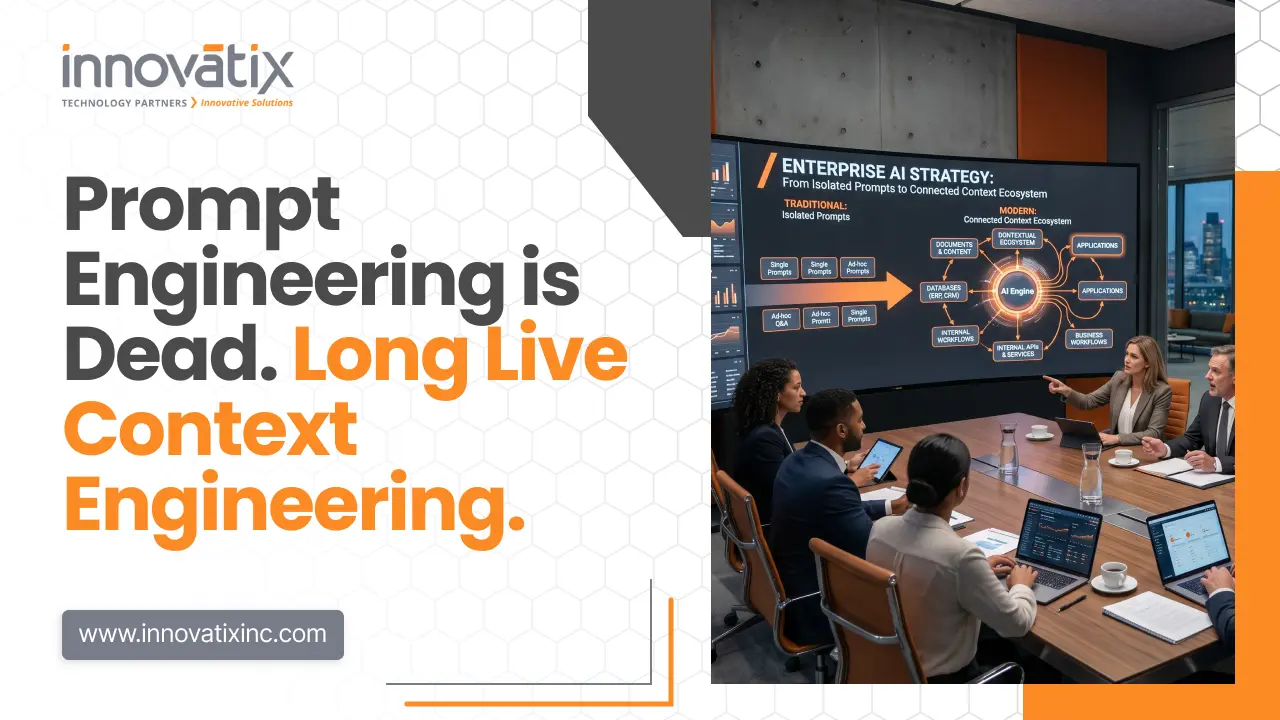
Prompt Engineering is Dead. Long Live Context Engineering.

Over the last two years of the AI craze, developers have been focused on creating ideal prose prompts. LLM models were regarded as unreliable oracles to be flattered or coerced into a correct answer. The early LLM software engineering was based on complicated English templates, crying out “take a deep breath,” and fragile parsing loops. This is an outdated paradigm that was conceived in an age of small context window and costly inference. With context windows growing to millions of tokens and API prices dropping drastically, the challenge is no longer how to communicate with models, but how to programmatically get them to consume data. Writing literary prompts is no longer the era, and it’s been replaced by systematic discipline of context engineering. The Hidden Physics of Attention: “Lost in the Middle” To see why the traditional prompt engineering is not working well, we will have to explore the physical constraint of attention in today’s transformer architectures. Early models had context windows as small as four thousand tokens, so developers had to make do with brevity. Today, models such as Claude 3.5 Sonnet and Gemini 1.5 Pro have context windows of hundreds of thousands to millions of tokens. But the capability to consume millions of tokens doesn’t necessarily mean being able to reason uniformly across them. As mentioned in their study paper “Lost in the Middle: How Language Models Use Long Contexts” from 2023, Nelson F. Liu and his colleagues showed that LM are biased towards the start and end of input sequences. Key information imbedded in a long context degrades catastrophically, sometimes to near random chance. Whitepaper: The Future of Generative AI in Web Development This whitepaper explores how Generative AI is transforming web development by automating coding, design, and testing workflows, while enabling hyper-personalized, intelligent digital experiences for businesses. Download Whitepaper The Structural Limits of Self-Attention This “lost in the middle” phenomenon is due to the nature of the self-attention mechanism in transformers. Self-attention involves computing an attention score for each token by all of the other tokens. In longer passages, this ratio falls off exponentially and the model has difficulty separating the important facts from the extraneous ones. Just throwing a whole codebase, document repository, or chat history into a context window is an invitation to failure. The model will prioritize the system prompt on the top and the final query on the bottom, which are the ones that are vital, while ignoring critical documentation that is in the middle. Thus, the task of creating a reliable AI feature is now a database and code orchestration issue. Defining Context Engineering: The New AI Paradigm According to Andrej Karpathy, who was the Director of AI at Tesla, context engineering is the fine art and science of programmatically populating the context window with the appropriate information to pass on to the next step. It’s a science and there’s a lot of control that goes into the data that’s being selected, formatted, and updated. It is an art and science, and a lot of knowledge about the model’s behaviour and attention limitations. However, the software systems that developers need to build are to be dynamic data pipelines, instead of manually adjusting the adjectives. These pipelines collect, filter, deduplicate and compress data and then put it together into a coherent context packet. The idea is no longer to make the prompt look pretty to humans, but to make the input really dense with signal for the model and structured. Prompt Caching: The Economics of the KV Cache Prompt caching is one of the most significant innovations in context engineering, reshaping the economic landscape for long-context applications. Providers like Anthropic, OpenAI, and Google let the model’s KV cache be carried over to subsequent API calls, thereby enhancing its performance. Traditionally, on every API request the model has to reprocess all of the tokens which is expensive and slow. The computed math states of a static prefix can be stored in memory via prompt caching. The next time a request is made with this prefix, the model will skip the compute stage, and save up to ninety percent on response time and tokens. For instance, Anthropic’s pricing for Claude 3.5 Sonnet is a ninety per cent discount on cached tokens, which is a fraction of the normal rate. Architectural Rules for Stable Prefix Caching These are huge economic and performance gains, but developers need to create their context strings in a KV-cache aware manner. The higher hit ratio in caching systems is dependent on the stability and identity of prefixes. Since the caching is based on prefix, changing any character in the prompt means all of the part of the prompt after the change is invalidated. So it’s bad to have the prompt for a user be their last query, or to have the dynamic conversation history somewhere in the middle of the reference text. The context engineer needs to distinguish between the static (unchanging) and dynamic (changing) elements of the prompt. The context stream must have the static parts like system instructions, database schemas, API definition etc. placed at the absolute beginning. If it is dynamic information like the user’s most recent message, it is important that it be added at the end so that the static block remains cached. Beyond Content Dumps: Dynamic Retrieval and Intelligent RAG The ultimate goal of Content Dumps is to go beyond traditional content dumps to implement dynamic retrieval and intelligent RAG. In addition to prefix stability, context engineering needs advanced dynamic retrieval capabilities, to avoid wasting token budget. Piling the whole multi-megabyte codebase into the context window is an expensive and lazy approach, resulting in strong attention degradation. Rather, developers need to invest in dynamic retrieval systems, like sophisticated Retrieval Augmented Generation (RAG). A context pipeline with vector databases, embedding models and keyword search can do this by extracting only the semantically relevant pieces of text which correspond to the user’s query. This kind of dynamic retrieval can be further optimized by ranking models,

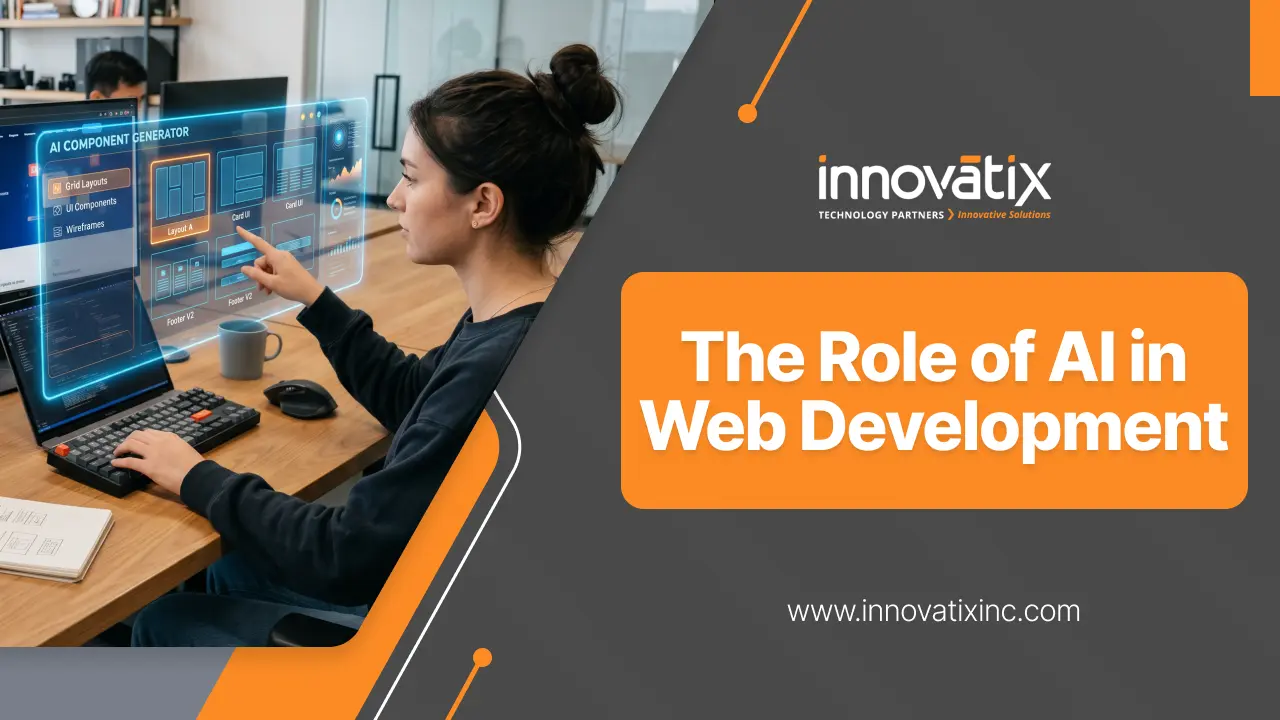
The Rise of AI in Web Development

Artificial Intelligence (AI) is making waves in the web development industry, changing the way websites are designed, developed, optimized, and maintained. What used to be a time-consuming manual process, can now be automated intelligently, enhanced by predictive analytics and made simpler by AI-powered tools. AI is proving to be a vital component in the world of modern web development, especially as businesses strive to deliver faster product releases, more customized experiences, and savvier digital platforms. How AI Is Changing Web Development AI doesn’t just refer to chatbots or recommendation engines. It is currently an important part of the whole website development process. Whitepaper – Beyond the Grid: Why the Next Evolution of the Web Won’t Be Coded, It Will Be Generated This whitepaper explores the shift from a prescriptive, static grid paradigm to an intent-driven “Agentic Web” where AI-powered dynamic systems generate task-specific interfaces on demand. Download Whitepaper Faster Website Development Currently, AI-powered development tools can create layouts, propose pieces of code, completely automate repetitive tasks, and even construct an entire website structure based on user requirements. This cuts down considerably development time and teams can spend more time customizing and developing the business logic. These cutting-edge AI coding tools assist developers in the following ways: Generate boilerplate code. Detect bugs early. Improve code quality. Accelerate debugging and testing. This helps to speed up project completion and productivity. AI in UI/UX Design “User experience” has emerged as one of the most critical elements to website success. AI can improve the user experience by understanding user behavior and anticipate preferences, making interfaces more engaging and user-friendly. AI-driven design improvements include: Personalized content recommendations Interactive layouts that change according to user’s actions Suggestions for smart color and typography Automated accessibility improvements Heatmap and user behaviour analysis. AI can help businesses design experiences that resonate with users and enhance engagement and conversion rates by analyzing website data. Smarter SEO and Content Optimization Search Engine Optimization (SEO) is another area being transformed by AI. Modern AI tools can analyse search trends, identify keyword opportunities, and optimize website content more effectively than traditional methods. AI-powered SEO capabilities: Keyword research automation Content optimization suggestions Predictive search analysis Voice search optimization Automated metadata generation AI also helps businesses adapt to evolving search engine algorithms and improve their online visibility. AI in E-commerce Websites AI plays a significant role in eCommerce development, particularly. AI is the key to delivering a personalised shopping experience and driving sales for online stores. Here are some common uses of AI in the e-commerce industry: Product recommendation engines AI-powered search Chatbots and virtual assistants Fraud detection systems Inventory forecasting Dynamic pricing strategies These attributes can boost customer satisfaction and enhance operational efficiency for businesses.   Improved Security and Fraud Detection Businesses operating online are still in high concern for cybersecurity. AI can also help improve the security of a website by identifying any suspicious activity or potential cyber attacks, and preventing them from even happening. AI-based security advantages: Automated threat detection Bot traffic identification Fraud prevention Behavioural analysis Real-time monitoring AI-powered security solutions enable websites to react quicker to threats and minimize vulnerabilities. Enhanced Personalization Modern users expect personalized digital experiences. AI helps websites tailor content, products, and user journeys based on browsing history, behaviour, and preferences. Examples include: Personalized homepage content Smart email recommendations Dynamic call-to-action displays Customized product suggestions This level of personalization improves customer engagement and retention. AI and Website Performance Optimization Website speed and performance are critical for user experience and SEO rankings. AI can automatically optimize performance by: Compressing images intelligently Managing caching strategies Predicting traffic spikes Optimizing server resource allocation AI-powered optimization ensures websites stay fast and dependable even under heavy traffic. The Future of AI in Web Development The future of web development will increasingly rely on AI-driven automation and intelligence. Developers will continue to use AI as a collaborative tool rather than a replacement. Future trends may include: Fully AI-generated websites Advanced voice and conversational interfaces Real-time personalization engines AI-assisted accessibility compliance Predictive customer experiences Businesses that adopt AI early will gain a competitive advantage through improved efficiency, scalability, and customer engagement. Conclusion AI is transforming the web development landscape, making websites smarter, faster, more secure, and more personalized. AI will help businesses provide better digital experiences, and boost operational efficiency – from automated coding to intelligent design, to advanced SEO and fraud prevention. With the ongoing advancements in technology, AI will be an essential component of website development strategies for businesses seeking to remain competitive in the digital era. Whitepaper – Beyond the Grid: Why the Next Evolution of the Web Won’t Be Coded, It Will Be Generated This whitepaper explores the shift from a prescriptive, static grid paradigm to an intent-driven “Agentic Web” where AI-powered dynamic systems generate task-specific interfaces on demand. Download Whitepaper Frequently Asked Questions (FAQs) Q1: How is AI used in front-end web development and UI/UX design? AI provides front-end optimization, repetitive code automation, and user interface optimization for front-end development. AI-powered tools allow designers to analyze user behavior heatmaps, forecast formatting preferences, and even create dynamic formats automatically. Furthermore, AI can help front-end developers by providing instant suggestions for boilerplate code, automatically checking accessibility compliance, and testing designs for responsiveness on various screen sizes. Q2: Will AI completely replace web developers and designers? No, AI is not a replacement for human developers and designers, it is a tool that can help them. AI capabilities are very good at repetitive tasks like code generation, basic debugging, layout prototyping etc., but it cannot be human in terms of creativity, strategic business logic and problem solving in complex situations. Web development is set for the future with “AI-augmented development”, where the engineers leverage AI to enhance productivity and concentrate on high-level architecture and custom user experiences. Q3: What are the benefits of integrating AI into e-commerce websites? By integrating AI into your eCommerce platforms, you can directly influence conversions and operational efficiency by providing: Hyper-Personalization: Shopping experience is customized depending on

Why “Clean Code” Now Means Writing Code That LLMs Can Actually Read

The term “Clean Code” for decades, was firmly grounded in human cognition. Pioneers like Robert C. Martin developed paradigms that explicitly work around the confounding factors of human working memory. We cut functions to less than 10 lines, strictly separated concerns, kept deeply nested conditionals to a minimum and aggressively abstracted logic to micro-classes. Display was a direct goal: to reduce, as much as possible, the cognitive load on a human software engineer who is reviewing code or troubleshooting a production bug by visually scanning a file. But the software development life cycle has dramatically changed its structure. No longer is the code written or read by only humans. Large Language Models (LLMs) have now become the modern CI/CD pipeline’s Aux agents, Code Assistants, and Auto-Refactor Engineers, from pipeline to IDE! As such, code is deeply learned by deep learning networks throughout a significant portion of its operational life, with the result that code is continuously being parsed, contextualised, and mutated. This paradigm shift will drive a fundamental reassessment of traditional engineering clean code principles. Architectural patterns that are optimized for human, rather than LLM, cognitive patterns often result in code that is fragmented, with poor LLM results, context windows that are small and logical hallucinations that are hidden. Modern clean code should meet the requirements of the compiler, the developer, and the AI context window. Whitepaper – The Logic Layer Consolidation: Redefining Enterprise Frontend Stability This whitepaper outlines the 2026 shift toward “Logic Layer Consolidation,” a paradigm that replaces fragmented client-server architectures with a unified execution environment to enhance enterprise application stability, security, and performance. Download Whitepaper The Failure Mechanics of Traditional “Clean Code” in LLM Contexts Extreme modularity is a common approach promoted under the banner of “clean code. A codebase divided into thousands of micro-utilities has functions that are well isolated, but this is a fundamental disruption of the linear attention mechanisms of Transformer architectures. LLMs process code through attention maps, calculating the probabilities of the relationships between tokens from one sequence to another, regardless of their length. In highly abstracted codebases, designed for the traditional human reading metrics, context is distributed across files that are often independent. To perform reasoning in relation to 1 business logic execution path, the AI agent needs to have access to deep import trees, meaning that a number of different, unrelated files need to be placed in the workspace. This means there is a compound tax burden on performance: Context Window Fragmentation: Each additional file that is imported by the automated agent uses input tokens. In complex codebases, this localized context overhead makes things exponentially more expensive, approaching its limit and causing significant drop in model reasoning. Attention Dilution: The more boilerplate, module declarations, imports, etc. there are, compared to actual business logic, the more the weight vector in the model’s self-attention will dilute. Structural noise obscures the core transformation logic. Hallucination Vectors: Models are forced to make generalizations that would have high probability, given nesting of classes and modules at a great level of depth or distance. This can cause false method signatures, parameter order, or module exports to be seen, which are not present in the local workspace. Defining AI-Readable Code: The Core Architectural Pillars AI code doesn’t necessarily mean going back to poorly designed, hard-to-maintain scripts. Rather, it proposes a very pragmatic and deterministic engineering strategy, which is clearly grounded in the syntax tree tokenization, embedding, and reasoning over used by deep learning models. 1. Locality over Hyper-Abstraction Locality is about grouping similar code together in the code base. Saving a specific utility function in the same file or class as other classes that use it (as opposed to storing it in a generic shared utility directory) can have a dramatic effect on the structural processing. It guarantees that the dependency graph and semantics of the function are completely encapsulated and passed into a context window when an LLM is called. 2. Exhaustive and Unambiguous Type Safety Implicit types and highly dynamic polymorphism requires that the LLM guesses at runtime behavior by relying on the variables’ names. Provided explicit typing gives hard-knuckled semantic boundaries. There are languages that provide a comprehensive type system with clear and explicit type annotations, which can be used to provide a rich framework for LLM validation. If types are explicitly specified, then definite compiler restrictions limit the generation space, so that incompatible objects and invalid type conversions can’t be generated during automated refactoring. 3. Linear Execution Paths over Implicit Framework Magic The actual runtime flow is hidden behind intricate runtime magic, like custom dynamic reflection, implicit dependency injection containers, global monkey-patching, or highly complex runtime decorators. An LLM deals with static code, not step by step runtime – this is a challenge when there are implicitly defined pipelines in the code with changes to data. The static abstract syntax tree (AST) perfectly corresponds to runtime operation, with plain, explicit, and declarative code execution paths. Metric-Driven Comparison: Code Parsing Dimensions The operational efficiency gains when shifting toward AI-readable standards are measurable and reproducible across enterprise development environments: Engineering Best Practices for the AI-Native Era Making your engineering standards dual-audience friendly involves incorporating several core architectural practices into your standard engineering guides: Write Literal, Intent-Driven Documentation: Avoid generic comments. Document constraints, unexpected edge cases, and systemic pre-requisites in the form of descriptive docstrings. This semantically similar text is used directly in the calculation of the probabilities of generation by AI models. Standardize Architectural Patterns: Do not have multiple patterns in the same domain. An LLM that is presented with a source code that calls out standard procedural functions in one module and complex reactive streams in another loses the context of its own prompt weight. Generations from homogeneous codebases are clean and very accurate. Optimize the Structural Layout: Sequentially arrange related routines down the page in order of the order they are invoked. The dependent blocks will be organized in a linear order, making it a perfect fit for linear text scanning by Transformer.

How to Build a “Heavy” AI App with a “Light” Browser Footprint

The web development world has encountered a major paradox due to the “AI revolution.” On the other hand, users seek the interactivity and richness of real-time interactions that LLM and generative agents offer. Contrastly, the fundamental metrics of the web—First Contentful Paint and Time to Interactive—are more important than ever in terms of optimizing for SEO and user retention. With the advent of the “bloated web” and developers trying to cram in a ton of AI logic, streaming buffers and complex UI states, we are back to the days of the bloated web. Instead of scaling back the AI, it’s about the delivery mechanism. This is where Zero-Bundle Interactivity comes in to the rescue: lifting the load from the client and moving it to the Edge. The significant weight of contemporary AI Apps When building a traditional web app, the architecture is typically predictable, but heavy because of the integration of AI. The browser downloads a large JavaScript framework (React, Vue, Next.js), initializes a client-side state management system, and implements complex asynchronous logic to manage states of AI streaming, markdown parsing and calling tools. The user already executes megabytes of JavaScript by the time he/she sees the first message. When used on mobile devices or via slower networks, this results in a “stutter” that takes the magic out of real-time AI. The paradigm changes with Zero-Bundle Interactivity. The “how-to” (the logic) is not sent to the browser, rather the “what” (the rendered UI). Whitepaper – The Logic Layer Consolidation: Redefining Enterprise Frontend Stability This whitepaper outlines the 2026 shift toward “Logic Layer Consolidation,” a paradigm that replaces fragmented client-server architectures with a unified execution environment to enhance enterprise application stability, security, and performance. Download Whitepaper The Logic Layer: Moving to the Edge For high-performance architecture, the Logic Layer is the area where data is converted into a format that is usable by the applications. This layer is separated from the client and deployed to Edge Functions (Cloudflare Workers, Vercel Edge), in a “light footprint” model. Why the Edge? Edge computing brings the Logic Layer closer to the user geographically. The Edge function is activated at a data center only a few miles from the user’s device, unlike a centralized function at a server located in Virginia or Dublin. The Edge function processes when a user interacts with an AI feature: Prompt Construction: Combining user input and system instructions with RAG (Retrieval-Augmented Generation) data. API Orchestration: Safeguarding access to LLM services (OpenAI, Anthropic) while keeping API keys protected from the client. Stream Transformation: Raw tokens from the AI to be immediately converted into HTML fragments or lightweight JSON. The browser doesn’t have to learn to communicate with an LLM, or how to deal with complex retry logic. It is just waiting for UI update. Implementing Zero-Bundle Interactivity The ultimate aim is to provide the interactive experience without the “bundle tax. This is done primarily using Server-Driven UI and Streaming HTML. 1. Server Components and Partial Hydration By adopting frameworks that allow for the rendering of Server Components (such as Next.js or Hydrogen), we can serve most of the AI interface from the server. The static HTML is sent to the browser for the layout, the sidebar, and also the history. Perhaps the input field or a “Copy to Clipboard” button are the “islands” of interactivity that are only downloaded where JavaScript is needed. 2. Streaming LLM Outputs as Rendered UI The “Markdown Pop-in” is one of the major drawbacks of AI Apps. Typically, the browser would get a sequence of text, and a client-side library (such as react-markdown) would continually render the text into HTML. This requires a lot of CPU. The Edge function can stream pre-rendered HTML fragments, and with an Edge-first approach. This method is known as “Out-of-Order Streaming”, and the server can send a “placeholder” for a chart or image, and when the AI has generated the data, send the final HTML to replace that “placeholder”—all over a single HTTP connection. Technical Deep Dive: The “Thin Client” Workflow In order to build this, the architecture needs to be modified from Client-Push to Server-Stream. Step 1: The Trigger A simple form submit (or a light fetch) sends the data to an Edge worker, rather than a more complicated useEffect hook that would keep data and track the state. Step 2: Edge Processing Edge worker starts a stream to LLM. The worker wraps the stream into a HTML element instead of returning it to the client. In the case of a list, the worker sends and streams each as it comes from the AI. Step 3: The DOM Update On the Client Side, we use a small library (usually less than 10KB, such as htmx or a custom fetch-streamer) to listen to the response, and insert the HTML right into the DOM. The Result: The browser does not “think. It is basically an enhanced terminal. The entire AI experience can be implemented in the JavaScript bundle (and be under 50KB), rather than heavy client-side frameworks requiring 500KB+ to download. Security and Cost Advantages In addition to performance, the ‘Light Footprint’ model has got two significant benefits: Security: Your prompt engineering and RAG pipeline is never exposed on the Edge. In an app that relies heavily on clients, it’s easy for an inquisitive user to look at the network tab or the JS source of the app to pick out exactly how you’ve set up your prompts. However, in an Edge-first model, this logic is “dark. Reduced Latency: Edge’s optimized cold-start functions (typically < 10ms) mean a much faster time-to-first-token than a traditional Node.js backend. Overcoming the Challenges The term “zero-bundle” is not synonymous with “zero-effort. There are cost/benefits to be weighed: State Persistence: If it is not persistent in the browser, then it must be persistent in the Edge. This means that the history of the chat between turns must be remembered using high speed Edge Key-Value (KV) stores or using durable objects. Connectivity Dependency: Logic is not on

The “Zero-Click” Interface: Why Your Website’s Navigation Menu Is Becoming Obsolete

The web has been kept out by the hamburger menu and the multi-layered navigation bar over decades. We created online towers with underground basement areas, hoping that the customer will be delighted with the lift ride over five floors of sub menus trying to locate a billing environment or a particular item specifications. However, we have crossed the threshold into the AI search experience epoch and the skyscraper is being flattened. We are in a Post-Search world. The idea in this landscape is not to assist the user in browsing, but to allow a direct search without having to click. When your user is forced to deal with a navigation menu to accomplish tasks, then you have already lost their focus. The Zero-Click Reality The statistics are undisputable in 2026: more than 64 percent of searches do not result in a single click to an external site. This has become a common user behavior, as opposed to a Google unique phenomenon, referred to as zero click search. The AI overviews and instant answer engines are training users to anticipate the result early. The implication of this shift on zero click searches SEO is massive. No longer being number 1 is insufficient, you must be the solution before the click occurs. This will be the future of navigating websites: not where is it but here it is. Whitepaper – The Logic Layer Consolidation: Redefining Enterprise Frontend Stability This whitepaper outlines the 2026 shift toward “Logic Layer Consolidation,” a paradigm that replaces fragmented client-server architectures with a unified execution environment to enhance enterprise application stability, security, and performance. Download Whitepaper From Search Bars to “Omni-Search” Action Hubs The greatest shift in the architectural layout of the websites is not aesthetic, but functional. The search-then-browse flow is dying, and omni-search bars are taking its place. The omni-search bar does not simply search a page, but does the action. Consider a user will search your site with the words Change my billing address. They would receive a link to a Profile Settings page in the old model, and then have to locate the Billing tab. In the zero-click interface model, the search modal is immediately displayed as a mini-form: Input: Change my billing address. Result: In the search overlay a small, secure text field appears. Action: The user enters the new address and presses enter and that is it. This has the effect of flattening your web site. Once all the tools, settings, and data are available through a single command line, you begin to wonder why the 12-item navigation menu on the top of your site looks like a vestige of the dial-up era. Why Your Navigation Menu Is Not Working Classical navigation is founded on a discovery attitude. However, contemporary users, particularly mobile or voice users, work on an intent mindset. With the attachment to complicated menus, you are causing users to learn your organizational logic. A search-first interface enables the user to apply his or her logic, and the AI does the translation. How to Adapt: SEO and UX Strategies for 2026 You might worry that impact of zero click search on website traffic will kill your business. It won’t—but it will change your KPIs. While raw sessions might dip, the “surviving” clicks are often 20-30% more likely to convert because the “low-intent” browsing has already happened in the search layer. 1. Optimize towards the Answer Engine. In order to succeed in the AI search experience, you have to have modular content. Make use of structured information and definite blocks of answers (short 40-60 words summaries) in the top of your pages. This is how to make search results zero clicks: provide the AI with the snippet that it will use to acknowledge your brand as the authority. 2. Implement Actionable Search Go beyond mere key-word matching. Connect your search bar to your front-end and your backend API. Install applications such as Algolia or any other custom LLM-wrappers to make sure that when a consumer poses a query, your search engine suggests an application, not a link. 3. Pay attention to Brand Mentions and not Clicks. The new Position 1 is to be the source that an AI can quote in a world of search without clicking. Quality brand impressions in an AI summary create trust which results in direct-type traffic in the future.   The Bottom Line The “Zero-Click” interface isn’t about losing traffic; it’s about losing friction. Your navigation menu isn’t just a list of links—it’s a map of how much work you’re making your users do. In 2026, the best interface is the one that disappears. Stop building better menus. Start building a better search. Frequently Asked Questions (FAQs) What is the zero click search and its impact on the SEO? It is a search engine results page (SERP) which provides a response to the query of the user at the very top, and, as a result, there is no click to a site. It also compels SEO to stop click-baiting and start authority-building, in which being the listed source is the main objective. What is the effect of AI search on the navigation of websites? AI enables web sites to shift to a Natural Language interface. Users do not have to go through categories to get what they want, they command the site what they want. This renders deep and hierarchical menus unnecessary and favors a flat architecture. What is increasing in Google with zero click searches? Google (and other engines such as Perplexity) are trying to minimize time to result. Their work around synthesizing web data (using LLMs) into instant answers makes the experience quicker to users, which retains users longer on their platform. What can websites do to adjust to the trend of zero-clicks search? The websites are to be oriented on the Actionable UI, where the search bar can perform activities. They ought to also apply Schema markup to make sure that their information is readily consumed by AI agents so they are

Cloud 3.0: The Sovereign & Hybrid Cloud Imperative

The “all-in” public cloud playbook no longer fits the world we operate in. Here’s why geopatriation, data sovereignty, and private AI infrastructure are reshaping enterprise cloud strategy — and what I’m telling my leadership team. I’ve spent fifteen years championing public cloud. I pushed for lift-and-shift migrations, fought consumption-based budgets past sceptical CFOs, and watched the elasticity of hyperscalers transform our ability to ship products. So when I say the “all-in” public cloud playbook we’ve run since the early 2010s is broken, know it comes from someone who deeply believed in that playbook. What changed isn’t one regulation or one vendor miscalculation. It’s a convergence of geopolitical friction, tightening data-residency laws across dozens of jurisdictions, and AI workloads that demand low-latency, high-security compute much closer to where data originates. Welcome to Cloud 3.0. Whitepaper – The Role of API-Driven Architecture in Custom Applications This whitepaper provides a comprehensive analysis of API-Driven Architecture, exploring how transitioning from monolithic structures to a modular, “composable” ecosystem serves as a strategic framework for scalability, security, and competitive advantage in custom application development. Download Whitepaper The Rise of Geopatriation Gartner coined the term “geopatriation” to describe the strategic migration of workloads from global public clouds back into local or sovereign environments within national borders, naming it a top strategic technology trend for 2026. The numbers make it impossible to dismiss as a passing fad. According to Gartner’s February 2026 forecast, worldwide sovereign cloud IaaS spending will hit $80 billion this year — a 35.6% surge from 2025. Europe alone is expected to nearly double its sovereign cloud IaaS spend, jumping from $6.9 billion in 2025 to $12.6 billion in 2026, and is forecast to surpass North America by 2027. The legislative forces are compounding. The EU’s GDPR set the stage, but India’s Digital Personal Data Protection Act — now entering active enforcement — is creating identical pressures in Asia’s largest market. China’s cross-border transfer regulations, Brazil’s LGPD, and emerging data-localisation bills in the Philippines collectively make it impossible to park everything in a single hyperscaler region and call it compliant. Why the “All-In” Thesis Broke The all-in thesis assumed geopolitics would stay stable, regulatory environments would converge, and scale efficiencies would always outweigh centralisation risks. All three have crumbled. The US CLOUD Act grants American authorities the right to compel US-headquartered companies to produce data regardless of where it’s stored. When AWS launched its European Sovereign Cloud in January 2026 — a fully independent infrastructure in Brandenburg, Germany, backed by €7.8 billion — the technical separation was genuine. But as Computerworld’s analysis pointed out, technical sovereignty doesn’t resolve jurisdictional sovereignty when the parent company sits under US law. Hyperscalers are adapting. Google licenses technology to France’s S3NS (a Thales subsidiary); Bleu, a Capgemini-Orange joint venture, runs on Microsoft technology. These partnerships address ownership questions, not just residency checkboxes. But as Gartner’s Rene Buest cautioned, “Solely treating digital sovereignty as a pure security, regulatory and compliance topic is not enough… they will also lose market share.” AI: The Accelerant Nobody Budgeted For If data-residency regulation was the spark, AI has been the accelerant. A 2026 Cloudian-commissioned survey of 203 enterprise IT decision-makers found that 93% have either already repatriated AI workloads from public cloud, are in the process of doing so, or are actively evaluating it. Nearly four in five (79%) have already moved workloads, and 73% plan to shift further toward on-premises or hybrid infrastructure in the next two years. The driving forces go beyond compliance. They’re structural and economic: Data sovereignty & IP protection — 91% of respondents prefer on-premises, private cloud, or hybrid infrastructure when AI involves sensitive company data. Sending proprietary training sets or customer data to third-party APIs carries risk profiles too high for regulated industries. Cloud cost unpredictability — 40% of enterprises report that actual cloud AI spending exceeds initial projections. Consumption-based pricing becomes toxic at scale, especially with agentic AI making continuous inference calls. Latency & real-time performance — 75% identified workloads that require or benefit from on-premises infrastructure for acceptable latency. Manufacturing quality control, real-time video analytics, and low-latency transaction processing can’t tolerate cloud round-trips. Shadow AI as a security threat — 74% flagged unauthorized employee use of cloud AI tools as a critical or significant security concern. If your data is being sent to APIs you don’t control, your sovereignty strategy is already compromised. Deloitte’s Tech Trends 2026 report reinforces this: per-token inference costs have dropped 280-fold in two years, yet total AI spending keeps climbing because usage has far outstripped those reductions. When cloud costs exceed 60–70% of equivalent on-premises costs, capital investment in local GPUs simply makes better financial sense. The Three-Tier Hybrid Architecture The answer is not to abandon public cloud. The answer is a deliberate three-tier hybrid architecture matching each workload to its optimal compute layer: This isn’t theoretical. Red Hat launched its unified AI Enterprise platform on OpenShift to orchestrate AI across hybrid environments. Dell Technologies created an architecture review board evaluating every new AI project against cost, performance, governance, and risk. As Dell’s global CTO John Roese put it, “When you start talking about reasoning models and agents, having that architectural discipline is critical.” What I’m Telling My Leadership Team Here’s the practical advice I’m operating on, and what I’d share with any peer wrestling with this transition: Treat cloud strategy as a geopolitical risk exercise, not just a technical one. Map every jurisdiction where you operate, understand what data-residency obligations apply, and build your architecture accordingly. Compliance cannot be a retrospective checkbox. Kill the cloud-vs-on-premises binary. That framing belongs to 2015. The right question for every workload is: what is the optimal mix of sovereignty, cost, latency, and resilience? Get ahead of the AI infrastructure curve. If your data centres still rely on raised floors, air cooling, and orchestration built around traditional virtualisation, they are not ready for GPU-dense AI workloads. The infrastructure mismatch from networking between GPUs to high-bandwidth memory is a bottleneck that worsens as adoption scales.

Jeen P Xavier January 30, 2026 No Comments

7 Signs Your Business Has Outgrown Excel and Needs an ERP

Transitioning from a startup to a scaling enterprise is an exhilarating ride, but it often comes with a hidden weight: the spreadsheets that once fueled your growth are now the very things holding you back. Excel is the undisputed king of the “getting started” phase. It’s flexible, familiar, and practically free. But there comes a tipping point where your reliance on manual data entry and disconnected workbooks shifts from being an asset to a liability. If you feel like you’re spending more time managing your files than managing your customers, you’ve likely hit the ceiling of what a spreadsheet can do. Here are the seven definitive signs that your business has outgrown Excel and is ready for the centralized power of an Enterprise Resource Planning (ERP) system. 1. You Have “One Version of the Truth” (And Five Other Versions) In the early days, one master sheet worked. Now, the Sales team has their version of the client list, Accounting has another, and Operations is working off a three-week-old download. When data lives in silos, nobody knows which number is correct. You spend the first twenty minutes of every meeting arguing about whose spreadsheet is the most up-to-date rather than making strategic decisions. An ERP eliminates this by providing a single source of truth. When a sale is made, the inventory updates, the invoice generates, and the financial reports reflect the change—instantly and universally. Whitepaper – Transforming the Enterprise Through Intelligent Migration This whitepaper outlines how Innovatix Technology Partners uses a structured migration framework and a proprietary suite of automation tools—such as SpecGenerator and Code Morph—to help enterprises modernize legacy systems into secure, scalable, and cloud-ready architectures. Download Whitepaper 2. Manual Data Entry is Your Main “Growth Strategy” If your team spends hours every week “exporting to CSV” and “copy-pasting” data from one sheet to another, you aren’t running a lean business; you’re running a data entry firm. Manual processes are the silent killers of productivity. Not only do they drain your team’s energy, but they are also magnets for human error. A single misplaced decimal point in a complex formula can lead to massive financial discrepancies. ERP systems automate these workflows, allowing your staff to focus on high-value analysis rather than clerical gymnastics. 3. Reporting Feels Like Solving a Cold Case How long does it take you to get a clear picture of your monthly profitability or your current stock levels? If the answer is “I’ll have it for you in three days,” you have an Excel problem. In a fast-moving market, you need real-time insights. Excel requires you to look backward—gathering past data to see what happened. An ERP gives you a dashboard that shows what is happening right now. If you can’t generate a comprehensive report with two clicks, you’re flying your business blind. 4. You’re Terrified of “The One Guy” Who Built the Sheet Every spreadsheet-dependent company has “The Wizard”—the one person who understands the 45 hidden tabs and the 1,000-line macro that keeps the whole company running. This is a massive operational risk. If that person leaves, takes a vacation, or simply forgets how they built a specific VLOOKUP, your business processes could grind to a halt. An ERP moves the “intelligence” of your business out of a fragile, individual file and into a standardized, documented system that anyone with the right permissions can navigate. Comparison: Excel vs. ERP Capabilities While Excel is a versatile general-purpose application, an ERP is a specialized business infrastructure. Here is the comparison broken down by the key areas of impact: ·       Data Integrity and Accuracy The most immediate difference lies in how data is handled. In Excel, data integrity is highly fragile because it relies entirely on the person behind the keyboard. One accidental keystroke or a broken formula can ripple through a workbook, leading to massive financial discrepancies that are often difficult to trace. Conversely, an ERP system uses automated workflows and built-in validation rules. This means data is checked as it’s entered, and because information flows automatically from one department to another, the risk of human error is significantly reduced. ·       Collaboration and Accessibility Excel was never truly designed for simultaneous, large-scale collaboration. Even with cloud-based versions, businesses frequently run into “version control” nightmares where multiple copies of the same sheet circulate via email, leaving no one sure which is the latest version. An ERP acts as a centralized hub. It provides real-time, multi-user access where every department—from sales to warehouse management—works off the same live data. When one person makes an update, the entire company sees it instantly, ensuring everyone is literally on the same page. ·       Security and Accountability Security in Excel is generally limited to simple file passwords, which offers very little protection against internal or external threats. Furthermore, Excel lacks a comprehensive audit trail; it is nearly impossible to see exactly who changed a specific cell or when. An ERP system is built with enterprise-grade security, offering robust, role-based permissions. This allows you to restrict sensitive financial or payroll data to specific users while maintaining a complete history of every transaction, providing the transparency and accountability required for modern business compliance. ·       Scalability and Integration As a business grows, the sheer volume of data can cause Excel to become sluggish, often leading to file crashes or agonizingly slow load times. It also operates as an island, requiring manual and tedious imports or exports to talk to other software. An ERP is built to scale alongside your growth, handling high-volume transactions without breaking a sweat. Its greatest strength is native integration; it connects your supply chain, customer data, and accounting into one cohesive ecosystem, eliminating the “data silos” that typically stifle expanding companies. 5. Your Inventory is a Constant Mystery Managing five products in a spreadsheet is easy. Managing five hundred products across three warehouses is a nightmare. Excel cannot talk to your shipping carrier, it can’t track raw materials in real-time, and it certainly won’t alert you when stock levels hit a critical

Why Every Service Business Needs a Self-Service Portal

In the modern service economy, the “always-on” expectation isn’t just a trend—it’s a baseline requirement. Whether you are running an HVAC firm, a legal consultancy, or a SaaS startup, your customers no longer want to wait for a 9-to-5 window to get answers. As a technical expert who has watched the evolution of CRM and ERP integrations, I can tell you: a Customer Self-Service Portal (CSSP) is no longer a luxury “add-on.” It is the central nervous system of a scalable service operation. 1. Drastic Reduction in “Low-Value” Support Volume The most immediate technical benefit is the deflection of repetitive, transactional inquiries. Every time a customer calls to ask, “What is the status of my ticket?” or “Can I get a copy of last month’s invoice?”, your high-cost human talent is being underutilized. Ticket Deflection: By providing a searchable knowledge base and real-time status tracking, you can reduce inbound call volume by up to 40%. Resource Reallocation: Your engineers and support leads can focus on complex, high-revenue problems rather than password resets and billing updates. Whitepaper – The Role of API-Driven Architecture in Custom Applications This whitepaper provides a comprehensive analysis of API-Driven Architecture, exploring how transitioning from monolithic structures to a modular, “composable” ecosystem serves as a strategic framework for scalability, security, and competitive advantage in custom application development. Download Whitepaper 2. Real-Time Data Transparency (The “Amazon Effect”) Customers have been conditioned by e-commerce giants to expect total visibility. They want to see the “order journey.” In a service context, this means seeing: Project milestones and completion percentages. Upcoming scheduled technician visits. Historic service logs and compliance documentation. Providing this via a portal builds institutional trust. When a client can log in at 10 PM and see that their system update is 80% complete, they don’t need to send that “just checking in” email the next morning.   3. Accelerated “Order-to-Cash” Cycles From a technical architecture standpoint, a portal isn’t just for viewing data; it’s for processing it. 4. Scalability Without Proportional Headcount The math is simple: if your business grows by 50%, do you need to hire 50% more support staff? Without a portal, the answer is often yes. With a robust CSSP, your infrastructure scales linearly while your costs remain relatively flat. The portal acts as a digital buffer, absorbing the increased load of routine interactions while your core team remains lean and agile.   5. Capturing Clean, Actionable Data When a customer calls in, the data captured is only as good as the notes the agent takes. When a customer uses a portal, the data is structured and precise. Analytics: You can see exactly which knowledge base articles are most read, signaling where your product or service might be confusing. Feedback Loops: Portals allow for instantaneous NPS or CSAT surveys immediately after a task is completed, leading to higher response rates and better data. The Technical Bottom Line Building or implementing a self-service portal is an investment in operational maturity. It transitions your business from a reactive stance (waiting for the phone to ring) to a proactive one (empowering the user). In 2026, the interface is the product. If your customers can’t interact with you digitally, they will eventually find a competitor who lets them. Contact us today to start creating the Customer Self-Service Portal (CSSP) for your organization. Whitepaper – The Role of API-Driven Architecture in Custom Applications This whitepaper provides a comprehensive analysis of API-Driven Architecture, exploring how transitioning from monolithic structures to a modular, “composable” ecosystem serves as a strategic framework for scalability, security, and competitive advantage in custom application development. . Download Whitepaper

©2026 Innovatix Technology Partners, a Macrosoft, Inc. Company. All Rights Reserved.