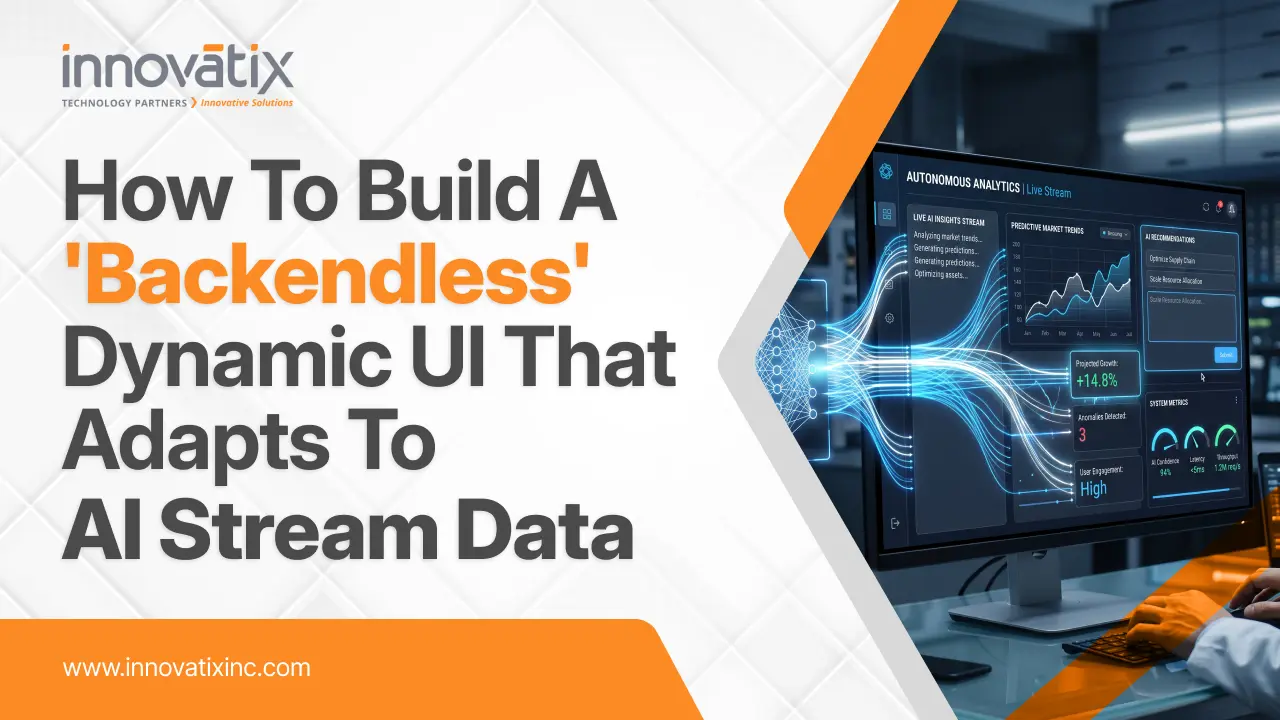
How to Build a “Backendless” Dynamic UI That Adapts to AI Stream Data

The static dashboard is dying – and nobody’s noticing. Over the last decade, web app architecture had been pretty predictable: product teams mocked up fixed layouts, backend engineers built specialized database queries to serve specific data fields, and frontend developers bound those fields to static visual components. When a user wanted something new to visualize, or wanted to view the data from a different angle, someone had to file a ticket, write new code, create a pull request and deploy an update. Then came along Generative AI and dashed those user expectations. People no longer want end-users to read plain text blocks or wait weeks for the devs to put out new layout configurations. They want flexible interfaces that can bend, move, and create various UI elements dynamically based on the AI agent’s instructions. If a user requests an AI assistant to “Compare Q3 revenue among regions and identify supply chain constraints” he does not want a bulleted text summary. They are expecting an interactive data grid, a bar chart and a highlighted risk badge to be dynamically created right in front of their eyes. Welcome to the era of the Adaptive Interface. Here is how you can build a dynamic UI that responds directly to streaming AI data using modern web meta-frameworks and structured design systems—along with a step-by-step blueprint to help you transition from a static layout developer to an adaptive interface engineer. What Does “Backendless” Mean in an AI-Driven World? To be clear, “backendless” doesn’t mean that your application doesn’t have a server or database. Instead, it’s about frontend teams no longer having to craft, rigid, backend API controllers for each and every UI state. For old architectures, creating a new card, filter, chart, meant creating a new backend endpoint that worked with their data in the exact same format. In a backendless, adaptive architecture the server is used essentially as an orchestrator/stream handler. The AI agent dynamically adapts the content that should be shown, depending on the user’s intent and the business context in real time. It sends structured instructions of the user interface directly to the client application, which immediately reads the stream and dynamically fills in pre-built user interface elements with fully interactive parts. Whitepaper – Low-Code and No-Code Development: Opportunities and Limitations This whitepaper provides a strategic evaluation of low-code and no-code development platforms, analyzing their benefits for rapid application delivery alongside their security, scalability, and governance limitations compared to traditional software engineering. Download Whitepaper The Architectural Blueprint: 4 Steps to Building Adaptive UIs A flexible client-server agreement is essential to transition from fixed layouts to streaming, AI-powered components. Here is the architectural plan for creating an adaptive interface with the modern Next.js Server Actions and component-based design systems. Step 1: Establish Your UI Primitive Registry An AI model should never create HTML or inline styles on your page that haven’t been validated. It results in huge security risks, accessibility issues and loss of visual uniformity. Rather, have a catalogue, or “registry”, of well-typed, deterministic UI primitives on your front end. This catalogue contains your typical KPI cards, data tables, line charts, alert banners and form controls. The AI receives a list of these available component types and their needed parameters as a design system that is like a palette of building blocks. Step 2: Stream Structured Output from the AI Agent Modern AIs frameworks are not model-based, meaning they are not waiting for the AI model to finish thinking and generate a full answer but instead stream chunks of data that are structured. The server uses server actions and structured schema validation to guide the AI agent to provide a stream of standardized JSON instructions in real-time. These instructions include which layout grid (e.g. a stack, side-by-side, dashboard grid, etc.) to use and what is the order of registered UI components that will satisfy the request. Step 3: Implement Progressive Component Reconstitution The fragments of structured data are transferred to the client application, and your frontend component engine parses the incomplete object stream and renders the available components. For example, if the AI says the KPI card should be first, and then a detailed data table, the client displays the KPI card as soon as the properties of the KPI card are streamed, before the data table is even started. With this progressive reconstitution, latency is removed from the equation and a natural, fluid user experience is created. Step 4: Gracefully Manage Partial States and Loading Boundaries Raw data may be streaming as the components are rendering, so there will be a brief time where components will render with incomplete props until the remaining raw data is streamed. To keep the user interface smooth and error-free: Do not allow arrays to be partially defined passing to charts or tables: set smart default values within your UI primitives. Make use of skeleton loaders and visual placeholders that gradually grow and come to life as data streams from the back-end finish.   Enterprise Execution: Bridging the Gap Between Hype and Legacy Stacks Though it is easy to create a prototype of a client-side streaming application in a new Web framework, implementation of adaptive UI architectures in enterprise deployments has real-world issues. In reality, an enterprise environment is not likely to be purely greenfield. They are dependent on older databases, complicated transactional middleware, compliance constraints and monolithic backends like legacy ERPs, CRMs or core financial systems. To connect real-time streaming AI agents with the core business infrastructure, strategic digital transformation, application modernization, and cloud engineering are essential. That’s where partners such as Innovatix Technology Partners are essential. Innovatix’s extensive knowledge in application modernization, enterprise cloud solutions, custom AI development, and digital engineering empowers enterprises to transform legacy systems into efficient, cloud-based architectures that deliver high performance. Instead of the dangerous and costly “big bang” rewrite, businesses can use the structured modernization services of Innovatix to isolate business logic from legacy backends and wrap in modern cloud microservices and pair with agentic AI workflows and
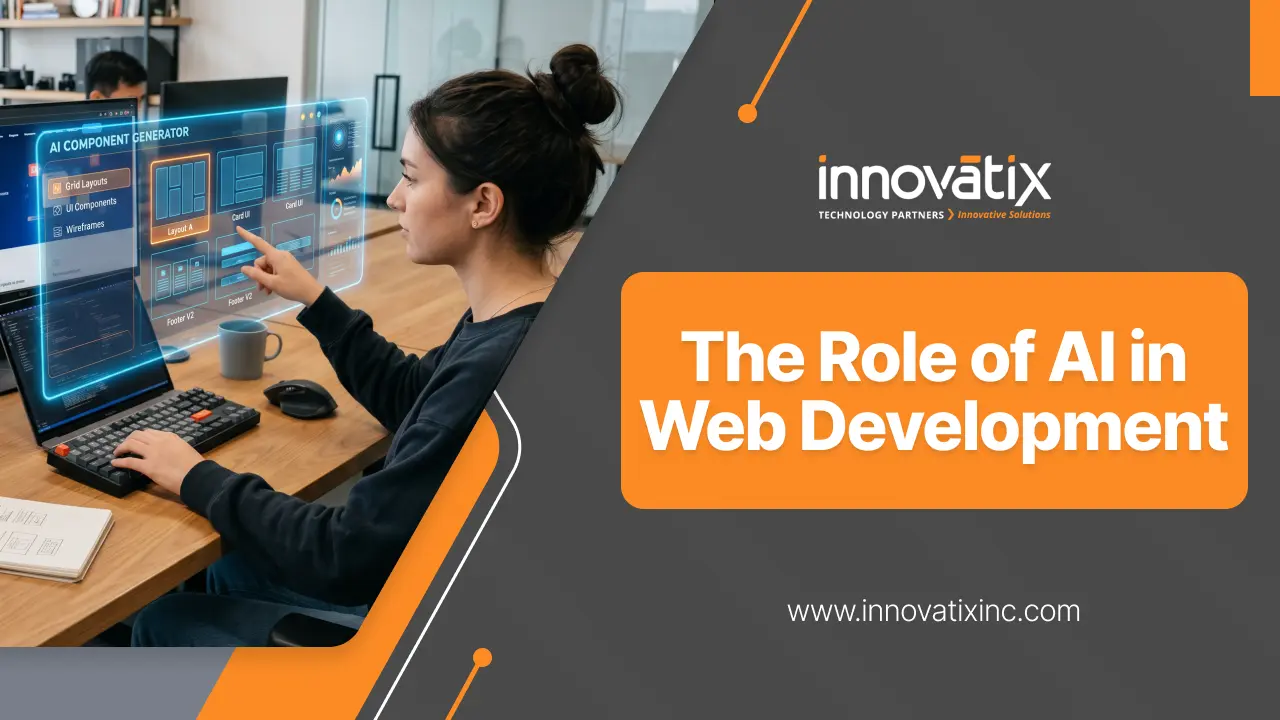

The Rise of AI in Web Development

Artificial Intelligence (AI) is making waves in the web development industry, changing the way websites are designed, developed, optimized, and maintained. What used to be a time-consuming manual process, can now be automated intelligently, enhanced by predictive analytics and made simpler by AI-powered tools. AI is proving to be a vital component in the world of modern web development, especially as businesses strive to deliver faster product releases, more customized experiences, and savvier digital platforms. How AI Is Changing Web Development AI doesn’t just refer to chatbots or recommendation engines. It is currently an important part of the whole website development process. Whitepaper – Beyond the Grid: Why the Next Evolution of the Web Won’t Be Coded, It Will Be Generated This whitepaper explores the shift from a prescriptive, static grid paradigm to an intent-driven “Agentic Web” where AI-powered dynamic systems generate task-specific interfaces on demand. Download Whitepaper Faster Website Development Currently, AI-powered development tools can create layouts, propose pieces of code, completely automate repetitive tasks, and even construct an entire website structure based on user requirements. This cuts down considerably development time and teams can spend more time customizing and developing the business logic. These cutting-edge AI coding tools assist developers in the following ways: Generate boilerplate code. Detect bugs early. Improve code quality. Accelerate debugging and testing. This helps to speed up project completion and productivity. AI in UI/UX Design “User experience” has emerged as one of the most critical elements to website success. AI can improve the user experience by understanding user behavior and anticipate preferences, making interfaces more engaging and user-friendly. AI-driven design improvements include: Personalized content recommendations Interactive layouts that change according to user’s actions Suggestions for smart color and typography Automated accessibility improvements Heatmap and user behaviour analysis. AI can help businesses design experiences that resonate with users and enhance engagement and conversion rates by analyzing website data. Smarter SEO and Content Optimization Search Engine Optimization (SEO) is another area being transformed by AI. Modern AI tools can analyse search trends, identify keyword opportunities, and optimize website content more effectively than traditional methods. AI-powered SEO capabilities: Keyword research automation Content optimization suggestions Predictive search analysis Voice search optimization Automated metadata generation AI also helps businesses adapt to evolving search engine algorithms and improve their online visibility. AI in E-commerce Websites AI plays a significant role in eCommerce development, particularly. AI is the key to delivering a personalised shopping experience and driving sales for online stores. Here are some common uses of AI in the e-commerce industry: Product recommendation engines AI-powered search Chatbots and virtual assistants Fraud detection systems Inventory forecasting Dynamic pricing strategies These attributes can boost customer satisfaction and enhance operational efficiency for businesses.   Improved Security and Fraud Detection Businesses operating online are still in high concern for cybersecurity. AI can also help improve the security of a website by identifying any suspicious activity or potential cyber attacks, and preventing them from even happening. AI-based security advantages: Automated threat detection Bot traffic identification Fraud prevention Behavioural analysis Real-time monitoring AI-powered security solutions enable websites to react quicker to threats and minimize vulnerabilities. Enhanced Personalization Modern users expect personalized digital experiences. AI helps websites tailor content, products, and user journeys based on browsing history, behaviour, and preferences. Examples include: Personalized homepage content Smart email recommendations Dynamic call-to-action displays Customized product suggestions This level of personalization improves customer engagement and retention. AI and Website Performance Optimization Website speed and performance are critical for user experience and SEO rankings. AI can automatically optimize performance by: Compressing images intelligently Managing caching strategies Predicting traffic spikes Optimizing server resource allocation AI-powered optimization ensures websites stay fast and dependable even under heavy traffic. The Future of AI in Web Development The future of web development will increasingly rely on AI-driven automation and intelligence. Developers will continue to use AI as a collaborative tool rather than a replacement. Future trends may include: Fully AI-generated websites Advanced voice and conversational interfaces Real-time personalization engines AI-assisted accessibility compliance Predictive customer experiences Businesses that adopt AI early will gain a competitive advantage through improved efficiency, scalability, and customer engagement. Conclusion AI is transforming the web development landscape, making websites smarter, faster, more secure, and more personalized. AI will help businesses provide better digital experiences, and boost operational efficiency – from automated coding to intelligent design, to advanced SEO and fraud prevention. With the ongoing advancements in technology, AI will be an essential component of website development strategies for businesses seeking to remain competitive in the digital era. Whitepaper – Beyond the Grid: Why the Next Evolution of the Web Won’t Be Coded, It Will Be Generated This whitepaper explores the shift from a prescriptive, static grid paradigm to an intent-driven “Agentic Web” where AI-powered dynamic systems generate task-specific interfaces on demand. Download Whitepaper Frequently Asked Questions (FAQs) Q1: How is AI used in front-end web development and UI/UX design? AI provides front-end optimization, repetitive code automation, and user interface optimization for front-end development. AI-powered tools allow designers to analyze user behavior heatmaps, forecast formatting preferences, and even create dynamic formats automatically. Furthermore, AI can help front-end developers by providing instant suggestions for boilerplate code, automatically checking accessibility compliance, and testing designs for responsiveness on various screen sizes. Q2: Will AI completely replace web developers and designers? No, AI is not a replacement for human developers and designers, it is a tool that can help them. AI capabilities are very good at repetitive tasks like code generation, basic debugging, layout prototyping etc., but it cannot be human in terms of creativity, strategic business logic and problem solving in complex situations. Web development is set for the future with “AI-augmented development”, where the engineers leverage AI to enhance productivity and concentrate on high-level architecture and custom user experiences. Q3: What are the benefits of integrating AI into e-commerce websites? By integrating AI into your eCommerce platforms, you can directly influence conversions and operational efficiency by providing: Hyper-Personalization: Shopping experience is customized depending on

Why “Clean Code” Now Means Writing Code That LLMs Can Actually Read

The term “Clean Code” for decades, was firmly grounded in human cognition. Pioneers like Robert C. Martin developed paradigms that explicitly work around the confounding factors of human working memory. We cut functions to less than 10 lines, strictly separated concerns, kept deeply nested conditionals to a minimum and aggressively abstracted logic to micro-classes. Display was a direct goal: to reduce, as much as possible, the cognitive load on a human software engineer who is reviewing code or troubleshooting a production bug by visually scanning a file. But the software development life cycle has dramatically changed its structure. No longer is the code written or read by only humans. Large Language Models (LLMs) have now become the modern CI/CD pipeline’s Aux agents, Code Assistants, and Auto-Refactor Engineers, from pipeline to IDE! As such, code is deeply learned by deep learning networks throughout a significant portion of its operational life, with the result that code is continuously being parsed, contextualised, and mutated. This paradigm shift will drive a fundamental reassessment of traditional engineering clean code principles. Architectural patterns that are optimized for human, rather than LLM, cognitive patterns often result in code that is fragmented, with poor LLM results, context windows that are small and logical hallucinations that are hidden. Modern clean code should meet the requirements of the compiler, the developer, and the AI context window. Whitepaper – The Logic Layer Consolidation: Redefining Enterprise Frontend Stability This whitepaper outlines the 2026 shift toward “Logic Layer Consolidation,” a paradigm that replaces fragmented client-server architectures with a unified execution environment to enhance enterprise application stability, security, and performance. Download Whitepaper The Failure Mechanics of Traditional “Clean Code” in LLM Contexts Extreme modularity is a common approach promoted under the banner of “clean code. A codebase divided into thousands of micro-utilities has functions that are well isolated, but this is a fundamental disruption of the linear attention mechanisms of Transformer architectures. LLMs process code through attention maps, calculating the probabilities of the relationships between tokens from one sequence to another, regardless of their length. In highly abstracted codebases, designed for the traditional human reading metrics, context is distributed across files that are often independent. To perform reasoning in relation to 1 business logic execution path, the AI agent needs to have access to deep import trees, meaning that a number of different, unrelated files need to be placed in the workspace. This means there is a compound tax burden on performance: Context Window Fragmentation: Each additional file that is imported by the automated agent uses input tokens. In complex codebases, this localized context overhead makes things exponentially more expensive, approaching its limit and causing significant drop in model reasoning. Attention Dilution: The more boilerplate, module declarations, imports, etc. there are, compared to actual business logic, the more the weight vector in the model’s self-attention will dilute. Structural noise obscures the core transformation logic. Hallucination Vectors: Models are forced to make generalizations that would have high probability, given nesting of classes and modules at a great level of depth or distance. This can cause false method signatures, parameter order, or module exports to be seen, which are not present in the local workspace. Defining AI-Readable Code: The Core Architectural Pillars AI code doesn’t necessarily mean going back to poorly designed, hard-to-maintain scripts. Rather, it proposes a very pragmatic and deterministic engineering strategy, which is clearly grounded in the syntax tree tokenization, embedding, and reasoning over used by deep learning models. 1. Locality over Hyper-Abstraction Locality is about grouping similar code together in the code base. Saving a specific utility function in the same file or class as other classes that use it (as opposed to storing it in a generic shared utility directory) can have a dramatic effect on the structural processing. It guarantees that the dependency graph and semantics of the function are completely encapsulated and passed into a context window when an LLM is called. 2. Exhaustive and Unambiguous Type Safety Implicit types and highly dynamic polymorphism requires that the LLM guesses at runtime behavior by relying on the variables’ names. Provided explicit typing gives hard-knuckled semantic boundaries. There are languages that provide a comprehensive type system with clear and explicit type annotations, which can be used to provide a rich framework for LLM validation. If types are explicitly specified, then definite compiler restrictions limit the generation space, so that incompatible objects and invalid type conversions can’t be generated during automated refactoring. 3. Linear Execution Paths over Implicit Framework Magic The actual runtime flow is hidden behind intricate runtime magic, like custom dynamic reflection, implicit dependency injection containers, global monkey-patching, or highly complex runtime decorators. An LLM deals with static code, not step by step runtime – this is a challenge when there are implicitly defined pipelines in the code with changes to data. The static abstract syntax tree (AST) perfectly corresponds to runtime operation, with plain, explicit, and declarative code execution paths. Metric-Driven Comparison: Code Parsing Dimensions The operational efficiency gains when shifting toward AI-readable standards are measurable and reproducible across enterprise development environments: Engineering Best Practices for the AI-Native Era Making your engineering standards dual-audience friendly involves incorporating several core architectural practices into your standard engineering guides: Write Literal, Intent-Driven Documentation: Avoid generic comments. Document constraints, unexpected edge cases, and systemic pre-requisites in the form of descriptive docstrings. This semantically similar text is used directly in the calculation of the probabilities of generation by AI models. Standardize Architectural Patterns: Do not have multiple patterns in the same domain. An LLM that is presented with a source code that calls out standard procedural functions in one module and complex reactive streams in another loses the context of its own prompt weight. Generations from homogeneous codebases are clean and very accurate. Optimize the Structural Layout: Sequentially arrange related routines down the page in order of the order they are invoked. The dependent blocks will be organized in a linear order, making it a perfect fit for linear text scanning by Transformer.

How to Build a “Heavy” AI App with a “Light” Browser Footprint

The web development world has encountered a major paradox due to the “AI revolution.” On the other hand, users seek the interactivity and richness of real-time interactions that LLM and generative agents offer. Contrastly, the fundamental metrics of the web—First Contentful Paint and Time to Interactive—are more important than ever in terms of optimizing for SEO and user retention. With the advent of the “bloated web” and developers trying to cram in a ton of AI logic, streaming buffers and complex UI states, we are back to the days of the bloated web. Instead of scaling back the AI, it’s about the delivery mechanism. This is where Zero-Bundle Interactivity comes in to the rescue: lifting the load from the client and moving it to the Edge. The significant weight of contemporary AI Apps When building a traditional web app, the architecture is typically predictable, but heavy because of the integration of AI. The browser downloads a large JavaScript framework (React, Vue, Next.js), initializes a client-side state management system, and implements complex asynchronous logic to manage states of AI streaming, markdown parsing and calling tools. The user already executes megabytes of JavaScript by the time he/she sees the first message. When used on mobile devices or via slower networks, this results in a “stutter” that takes the magic out of real-time AI. The paradigm changes with Zero-Bundle Interactivity. The “how-to” (the logic) is not sent to the browser, rather the “what” (the rendered UI). Whitepaper – The Logic Layer Consolidation: Redefining Enterprise Frontend Stability This whitepaper outlines the 2026 shift toward “Logic Layer Consolidation,” a paradigm that replaces fragmented client-server architectures with a unified execution environment to enhance enterprise application stability, security, and performance. Download Whitepaper The Logic Layer: Moving to the Edge For high-performance architecture, the Logic Layer is the area where data is converted into a format that is usable by the applications. This layer is separated from the client and deployed to Edge Functions (Cloudflare Workers, Vercel Edge), in a “light footprint” model. Why the Edge? Edge computing brings the Logic Layer closer to the user geographically. The Edge function is activated at a data center only a few miles from the user’s device, unlike a centralized function at a server located in Virginia or Dublin. The Edge function processes when a user interacts with an AI feature: Prompt Construction: Combining user input and system instructions with RAG (Retrieval-Augmented Generation) data. API Orchestration: Safeguarding access to LLM services (OpenAI, Anthropic) while keeping API keys protected from the client. Stream Transformation: Raw tokens from the AI to be immediately converted into HTML fragments or lightweight JSON. The browser doesn’t have to learn to communicate with an LLM, or how to deal with complex retry logic. It is just waiting for UI update. Implementing Zero-Bundle Interactivity The ultimate aim is to provide the interactive experience without the “bundle tax. This is done primarily using Server-Driven UI and Streaming HTML. 1. Server Components and Partial Hydration By adopting frameworks that allow for the rendering of Server Components (such as Next.js or Hydrogen), we can serve most of the AI interface from the server. The static HTML is sent to the browser for the layout, the sidebar, and also the history. Perhaps the input field or a “Copy to Clipboard” button are the “islands” of interactivity that are only downloaded where JavaScript is needed. 2. Streaming LLM Outputs as Rendered UI The “Markdown Pop-in” is one of the major drawbacks of AI Apps. Typically, the browser would get a sequence of text, and a client-side library (such as react-markdown) would continually render the text into HTML. This requires a lot of CPU. The Edge function can stream pre-rendered HTML fragments, and with an Edge-first approach. This method is known as “Out-of-Order Streaming”, and the server can send a “placeholder” for a chart or image, and when the AI has generated the data, send the final HTML to replace that “placeholder”—all over a single HTTP connection. Technical Deep Dive: The “Thin Client” Workflow In order to build this, the architecture needs to be modified from Client-Push to Server-Stream. Step 1: The Trigger A simple form submit (or a light fetch) sends the data to an Edge worker, rather than a more complicated useEffect hook that would keep data and track the state. Step 2: Edge Processing Edge worker starts a stream to LLM. The worker wraps the stream into a HTML element instead of returning it to the client. In the case of a list, the worker sends and streams each as it comes from the AI. Step 3: The DOM Update On the Client Side, we use a small library (usually less than 10KB, such as htmx or a custom fetch-streamer) to listen to the response, and insert the HTML right into the DOM. The Result: The browser does not “think. It is basically an enhanced terminal. The entire AI experience can be implemented in the JavaScript bundle (and be under 50KB), rather than heavy client-side frameworks requiring 500KB+ to download. Security and Cost Advantages In addition to performance, the ‘Light Footprint’ model has got two significant benefits: Security: Your prompt engineering and RAG pipeline is never exposed on the Edge. In an app that relies heavily on clients, it’s easy for an inquisitive user to look at the network tab or the JS source of the app to pick out exactly how you’ve set up your prompts. However, in an Edge-first model, this logic is “dark. Reduced Latency: Edge’s optimized cold-start functions (typically < 10ms) mean a much faster time-to-first-token than a traditional Node.js backend. Overcoming the Challenges The term “zero-bundle” is not synonymous with “zero-effort. There are cost/benefits to be weighed: State Persistence: If it is not persistent in the browser, then it must be persistent in the Edge. This means that the history of the chat between turns must be remembered using high speed Edge Key-Value (KV) stores or using durable objects. Connectivity Dependency: Logic is not on

Jeen P Xavier December 11, 2025 No Comments

Why Every Service Business Needs a Customer Self-Service Portal

Your customers expect fast, convenient, and round-the-clock access to the services they use. Whether it’s booking appointments, accessing invoices, raising support tickets, or checking service history, people prefer doing things on their own—without waiting for an email response or a phone call back. This is why a Customer Self-Service Portal has become a necessity for modern service-based businesses. It not only enhances the customer experience but also significantly reduces operational overhead. In this article, we explore why your business should invest in a customer self-service portal and how it can transform your service delivery. Customers Want Instant Access — Not Delays Most customers don’t want to call support for every small request. A self-service portal gives them immediate access to: Service details Project updates Support tickets Billing and payments Documentation and FAQs Appointment scheduling Account preferences When customers can handle simple tasks themselves, they feel empowered and satisfied, and your support lines stay free for more complex issues. Reduce Support Workload and Operational Costs Service businesses often spend a huge amount of time handling repetitive tasks such as: Sending invoices Answering the same questions repeatedly Updating customers on their service status Collecting documents Sharing reports or files A self-service portal automates these tasks, allowing customers to retrieve information independently. This reduces: Customer service calls Email back-and-forth Manual data entry Administrative overhead As a result, your team has more time to focus on actual service delivery and problem-solving.    Whitepaper: Digital Transformation through ERP: A Roadmap for Mid-Size Enterprises This whitepaper provides a practical roadmap for mid-size enterprises to leverage a modern ERP system as the digital core of their business, enabling integrated operations, data-driven decisions, and scalable growth in a competitive landscape. Download Whitepaper Improve Transparency and Trust Customers appreciate businesses that offer clear visibility into their services. A portal provides: Real-time service progress Work history Technician notes Payments and outstanding amounts Contract or service agreement details Transparency builds trust—and trusted businesses have higher customer retention and referrals. Faster Response Times = Higher Customer Satisfaction A service portal often integrates with internal systems such as: CRM ERP Helpdesk software Billing systems This ensures customers receive updates and responses faster because everything is centralized. Faster response times lead to: Better customer satisfaction scores Reduced complaints Stronger long-term relationships Simplifies Billing and Payments No more chasing invoice emails or waiting for payment confirmation. A portal can include: A digital billing dashboard Online payment gateways Auto-generated invoices Payment reminders Downloadable receipts This not only speeds up revenue collection but also offers customers a smooth and professional experience. Secure Access to Sensitive Information A self-service portal provides a secure environment for sharing: Service contracts Project files Reports Photos and videos Compliance documents Confidential communications With authentication, encryption, and access control, customers get a safe place to manage their relationship with your business. Operates 24/7 — Even When You’re Offline Your team may work only 8 hours a day—your portal works 24 hours, every day. Customers can log in anytime to: Download files Raise a support ticket Check updates Make payments Submit documents This is especially important for businesses serving multiple time zones or urgent service cases. Competitive Advantage in the Modern Market Most service businesses are still stuck in:📎 Email chains📞 Phone calls📊 Excel sheets A customer portal instantly differentiates you from competitors by offering: Professional digital experience Faster service delivery Convenience Operational efficiency Customers will always prefer businesses that make their life easier. Scales Easily as Your Business Grows As your customer base grows, manual communication becomes difficult. A portal: Automates workflows Organizes customer data Tracks service history Scales without increasing headcount This makes it suitable for both small businesses and large enterprises. Builds Customer Loyalty Ultimately, customers stay with businesses that deliver: Convenience Transparency Fast service Professionalism A self-service portal strengthens your brand and creates a long-term digital connection with every customer. Conclusion A Customer Self-Service Portal is no longer a “nice-to-have”—it is a must-have tool for every service business that wants to grow, reduce operational burden, and deliver a superior customer experience. Whether you run a maintenance service, equipment rental company, IT support team, consulting firm, or any other service-based business, a portal can dramatically improve both customer satisfaction and internal efficiency. Contact us today to build your customer self-service portal with us now.   Whitepaper: Digital Transformation through ERP: A Roadmap for Mid-Size Enterprises This whitepaper provides a practical roadmap for mid-size enterprises to leverage a modern ERP system as the digital core of their business, enabling integrated operations, data-driven decisions, and scalable growth in a competitive landscape. Download Whitepaper   

Jeen P Xavier November 6, 2025 No Comments

The Evolving Developer Role: From Doing to Directing with AI

The landscape of software development is undergoing a profound transformation, driven by the rapid advancements in Artificial Intelligence. What was once a domain primarily focused on the meticulous craft of writing code line by line is now shifting towards a more strategic, high-level approach. AI is increasingly automating routine coding tasks, ushering in an era where the developer’s role is evolving from “doing the work” to “directing the work.” This paradigm shift empowers developers to focus on innovation, complex problem-solving, and architectural design, leveraging AI as a powerful co-pilot and a tool for efficiency. The Dawn of Automation: AI as a Coding Co-Pilot For decades, software development has been characterized by a significant amount of repetitive and boilerplate coding. From setting up basic project structures to writing standard CRUD (Create, Read, Update, Delete) operations, developers have spent considerable time on tasks that, while essential, often lack creative challenge. Enter AI. Tools like GitHub Copilot and other AI-powered coding assistants are revolutionizing this aspect of development. These intelligent systems can generate code snippets, suggest completions, and even refactor existing code, dramatically accelerating the development process. A recent study highlighted the significant impact of AI on developer productivity, finding that programmers utilizing AI could code an impressive 126% more projects per week. This isn’t about replacing human ingenuity but augmenting it. AI handles the mundane, allowing developers to offload the heavy lifting of routine code generation. This newfound efficiency translates into faster development cycles, quicker prototyping, and the ability to deliver features at an unprecedented pace. Whitepaper: Latest Trends in Web Technologies Our comprehensive whitepaper, “Latest Trends in Web Technologies,” is your essential guide to understanding the cutting-edge innovations transforming how web applications are built and experienced. Download Whitepaper Shifting Focus: From Code Creator to Architectural Visionary With AI taking on the burden of routine coding, the developer’s role is naturally ascending to a higher plane of abstraction. The emphasis is moving away from the granular details of syntax and implementation towards the broader strokes of software architecture, high-level design, and strategic problem-solving. Developers are becoming more akin to architects and orchestrators, guiding AI tools to build robust and scalable systems. This shift demands a different skill set. Instead of being solely proficient in a particular programming language, developers now need to excel in: High-Level Design: Conceptualizing the overall structure of a software system, defining its components, and understanding how they interact. Creativity and Ideation: Brainstorming innovative solutions to complex business problems and envisioning new functionalities. Problem-Solving: Deconstructing intricate challenges and devising elegant, efficient solutions that AI can then help implement. System Integration: Understanding how various AI-generated components and existing systems can be seamlessly integrated. As Ariel Katz, CEO of Sisense, an AI-powered embedded analytics company, notes, “It’s not just about automating tasks; it’s about enabling developers to think and work at a much higher level and focus on the strategic aspects of their projects.” This sentiment underscores the idea that AI is not a threat to developers but an enabler, freeing them to engage in more impactful and intellectually stimulating work. The Rise of “Vibe Coding” and Democratized Development The increasing capabilities of AI are also giving rise to phenomena like “vibe coding,” where developers, and even non-developers, can describe their desired outcomes in natural language, and AI takes the lead on implementation. This democratizes development, making it accessible to a wider audience and allowing individuals with strong domain knowledge but limited coding expertise to contribute to software creation. Furthermore, AI is playing a crucial role in democratizing business analytics integration. By leveraging AI with APIs, developers can embed powerful analytics directly into applications without needing deep expertise in business intelligence, SQL, or data modeling. This fosters a more integrated approach where data insights are a fundamental part of the application experience, leading to more informed decision-making across organizations. Tackling Technical Debt and Enhancing Code Quality Technical debt, the accumulation of suboptimal code that slows down future development, is a persistent challenge in software engineering. AI offers a powerful solution to this problem. By automating code refactoring, identifying and fixing bugs, and suggesting best practices, AI tools can significantly reduce technical debt. This not only improves the maintainability and scalability of software but also frees up developers to work on new features and innovations rather than constantly patching old code. Beyond reducing technical debt, AI also contributes to enhancing overall code quality. AI-powered code review tools can identify potential vulnerabilities, enforce coding standards, and suggest optimizations, leading to more secure, efficient, and reliable software. This proactive approach to quality assurance is a game-changer for development teams. Challenges and the Human Element While the benefits of AI in software development are undeniable, it’s crucial to acknowledge the challenges and the enduring importance of the human element. Some experts caution that an over-reliance on AI could lead to a degradation of fundamental coding skills and a lack of understanding of the underlying technology. This highlights the need for developers to maintain a strong foundational knowledge while embracing AI as a tool. The future of development will undoubtedly involve a strong human-AI collaboration loop. Even in highly automated scenarios, human validation and feedback remain critical. Developers will need to effectively communicate with AI, understand its outputs, and provide the necessary guidance to ensure the generated code aligns with project requirements and ethical considerations. The Anthropic Economic Index research, for instance, found that even in “automation” scenarios with their Claude Code agent, “Feedback Loop” patterns, where human validation is required, were nearly twice as common as on their general Claude.ai platform. Ethical considerations surrounding AI-generated code are also paramount. Questions about ownership, bias, and potential vulnerabilities introduced by AI need to be addressed as these tools become more sophisticated and integrated into critical systems. The Evolving Skillset for the AI-Powered Developer The developer of tomorrow will be a hybrid professional, adept at both traditional programming principles and the art of AI orchestration. Key skills for this evolving role include: Prompt Engineering: The ability to craft effective prompts and instructions

Unlocking WebAssembly: A Beginner’s Guide to Faster Web Apps

The web is no longer just a platform for viewing content—it’s now a playground for powerful applications. From video editing tools and 3D modeling software to data visualization dashboards and immersive games, modern web apps demand more performance and flexibility than ever before. Traditionally, JavaScript has been the go-to language for client-side web development. However, as the complexity of web applications has grown, so have the limitations of JavaScript. This is where WebAssembly (Wasm) comes in. WebAssembly is a low-level, binary instruction format designed to run at near-native speed in modern browsers. It provides a new way to build high-performance applications for the web, using languages like C, C++, and Rust, while maintaining security and portability. This blog explores what WebAssembly is, why it matters, how it works, its current ecosystem, and where it’s headed. What Is WebAssembly? WebAssembly (often abbreviated as Wasm) is a portable binary-code format designed for executing code on the web. It serves as a compilation target for higher-level languages such as C, C++, and Rust, allowing them to run in the browser alongside—or even instead of—JavaScript. Unlike JavaScript, which is interpreted or just-in-time compiled, WebAssembly is designed to be compiled ahead of time into a binary format that can be executed directly by the browser’s engine. This makes it blazingly fast for certain tasks, especially those involving complex mathematical computations, graphics rendering, or data manipulation. Key Features: Why WebAssembly? WebAssembly is designed to address the limitations of traditional web technologies and open new possibilities for developers. 1. Performance WebAssembly shines when performance is critical. It provides a significant advantage over JavaScript for computationally heavy tasks due to its binary format, which allows for faster parsing and execution by the browser engine. Applications that involve: For instance, image manipulation operations such as applying filters, detecting edges, or transforming pixels that might take seconds to complete in JavaScript can be done in milliseconds with WebAssembly. Benchmarks have shown performance improvements ranging from 2x to over 10x for many use cases. This makes Wasm a powerful tool for developers looking to push the performance envelope of their web applications without sacrificing cross-platform compatibility. 2. Portability Wasm code is platform-independent. As long as a device has a compatible browser, the same Wasm binary can be run without modification. This makes it an excellent choice for cross-platform development. 3. Security Security is a core design principle of WebAssembly. Code runs in a sandboxed execution environment, preventing access to the host system unless explicitly allowed. This ensures that even if malicious code is executed, it can’t escape its virtual container. 4. Extensibility Because WebAssembly works alongside JavaScript, developers can integrate Wasm modules into existing applications without a full rewrite. This hybrid approach allows developers to offload only the performance-critical parts of an application to WebAssembly. A Brief History of WebAssembly WebAssembly is the result of collaboration between the major browser vendors: Mozilla, Google, Microsoft, and Apple. Their shared goal was to create a new standard for high-performance web applications. Today, WebAssembly continues to evolve, with proposals and extensions like threads, GC (garbage collection) support, and the WebAssembly System Interface (WASI). How WebAssembly Works The typical workflow for using WebAssembly looks like this: Popular WebAssembly Frameworks and Tools WebAssembly (Wasm) has inspired the development of several powerful frameworks and tools that simplify the process of building high-performance web applications. Below are some of the most widely used options: Real-World Use Cases of WebAssembly WebAssembly is powering a new generation of high-performance web applications across industries. Here are some notable real-world examples: The Future of WebAssembly Although WebAssembly is still a relatively young technology, its potential is vast—and the ecosystem is evolving rapidly. Here are some key developments shaping the future of WebAssembly: Getting Started with WebAssembly If you’re interested in learning more about WebAssembly, here are some resources to get you started: WebAssembly is a powerful technology that has the potential to revolutionize web development. By understanding its basics and exploring the available frameworks, you can start creating high-performance web applications that push the boundaries of what’s possible. Conclusion WebAssembly is one of the most exciting technologies shaping the future of web development. It enables a new class of applications that were previously limited to native platforms—bringing them to the browser with speed, portability, and security. From enhancing existing JavaScript apps to enabling new runtime environments beyond the browser, WebAssembly is opening doors for developers in nearly every domain. If you’re a developer who craves performance, portability, or wants to bring non-JavaScript languages to the web, WebAssembly is a technology worth mastering. Whether you’re building the next in-browser CAD tool, a blazing-fast game, or an offline-first data app, Wasm gives you the tools to make it possible. Start exploring today with Innovatix Technology Partners—and be part of the web’s next evolution.

The Performance Edge: Mastering Core Web Vitals for Superior User Experience

It’s always the first impression of your website that can make or break your business. Users expect websites to load quickly, respond instantly, and behave predictably. When a site falls short—taking too long to display content, lagging when you try to click a button, or jumping around as elements load—it’s frustrating, and users will often leave without looking back. At Innovatix Technology Partners, we believe that mastering website performance is not just a technical responsibility — it’s a strategic advantage. Enter Core Web Vitals, Google’s set of essential metrics designed to measure and improve the real-world experience users have on your website. In this blog, we’ll unpack what Core Web Vitals are, why they matter more than ever, and how you can master them to deliver a smooth, engaging, and superior user experience that keeps visitors coming back. What Exactly Are Core Web Vitals? Think of Core Web Vitals as the heartbeat of your website’s user experience. They focus on three critical aspects of performance: 1. Largest Contentful Paint (LCP) – How Fast Is Your Page Loading? LCP measures the time it takes for the largest visible piece of content on your page to load. This could be a hero image, a large block of text, or a video—whatever grabs the user’s attention first. The goal here is clear: users want to see your content quickly.Ideal benchmark: LCP should occur within 2.5 seconds of the page starting to load. 2. First Input Delay (FID) – How Quickly Does Your Site Respond? FID tracks the delay between the user’s first interaction (like clicking a button or tapping a link) and the browser’s response. Imagine trying to click “Buy Now” and waiting for half a second or more before anything happens — it’s frustrating!Ideal benchmark: FID should be less than 100 milliseconds. 3. Cumulative Layout Shift (CLS) – Does Your Page Stay Steady? CLS measures visual stability by quantifying how much the page layout shifts unexpectedly during loading. You’ve probably experienced this—just as you’re about to click, the page moves, and you end up clicking something else. This is usually caused by ads, images, or fonts loading late, which causes content to shift.Ideal benchmark: A CLS score below 0.1 means the page is visually stable. Why Should You Care About Core Web Vitals? Here’s the reality: Users’ patience is short, and attention spans are fleeting. A slow, unresponsive, or visually unstable website can drive visitors away in seconds. And beyond user frustration, Core Web Vitals now influence how Google ranks your site in search results. The stakes are high. 1. Delivering Exceptional User Experience User experience is the heart of digital success. Websites that load smoothly, respond swiftly, and maintain visual stability create a seamless journey—from discovery to conversion. This builds trust and encourages users to engage more deeply with your brand. 2. Boosting Your SEO and Organic Traffic Google’s algorithm increasingly rewards websites that prioritize user experience. Sites optimized for Core Web Vitals enjoy better rankings, higher visibility, and more traffic. Ignoring these metrics means risking lower search rankings and missed opportunities. 3. Driving Business Results Performance is directly linked to key business outcomes. Studies show that even a one-second delay in page load can reduce conversions by up to 7%. A slow or jittery website can lead to cart abandonment, lost leads, and damage to the brand’s reputation. How to Master Core Web Vitals? Optimizing your Core Web Vitals might sound overwhelming, but with a focused approach, you can make meaningful improvements that your users will notice and appreciate. Improving Largest Contentful Paint (LCP) Reducing First Input Delay (FID) Minimizing Cumulative Layout Shift (CLS) Measuring and Monitoring Your Progress Optimizing Core Web Vitals isn’t a one-time task. Continuous monitoring and improvement are key. Here are some essential tools: Why Choose Innovatix for Your Web Performance Journey? At Innovatix Technology Partners, we go beyond just fixing issues. We partner with you to understand your unique business goals, user needs, and technical environment. Our experts combine deep technical know-how with strategic insight to optimize your website’s Core Web Vitals and overall performance. From auditing your current setup to implementing scalable solutions and monitoring ongoing performance, Innovatix has you covered. We pride ourselves on delivering web experiences that are not only fast and reliable but also engaging and memorable. Your Website’s Performance Edge Starts Here Ultimately, mastering Core Web Vitals is about prioritizing your users. It’s about understanding the subtle but powerful ways your website’s speed, responsiveness, and stability shape perceptions and behaviors. By prioritizing these metrics, you don’t just improve numbers—you build trust, inspire loyalty, and drive real business growth. So, are you ready to gain the performance edge? Let Innovatix be your guide on this transformative journey. Want to take the next step? Reach out to Innovatix today for a comprehensive Core Web Vitals audit and tailored performance strategy!

Top 5 Serverless Platforms for Web Developers in 2026

If you’re a web developer in 2026, you know the drill: nobody wants to manage YAML files for breakfast anymore. We want to write code, push it, and have it “just work” globally. Serverless has evolved from “running a function in the cloud” to full-blown serverless application development services that handle databases, authentication, and AI inference. But with so many options, which cloud serverless service is best for enterprise or for your next side project? Here are the top-rated serverless cloud services for web developers this year. 1. AWS Lambda: The “Gold Standard” for Enterprise AWS Lambda remains at the top of the top serverless computing companies list for a reason: it’s incredibly deep. In 2026, it’s no longer just for short tasks. With the introduction of Lambda Durable Functions, you can now manage complex, stateful workflows without needing a separate orchestration tool. Best For: Large-scale serverless application development services and complex backends. The 2026 Edge: SnapStart now supports almost every major runtime (Python, Node, Java, .NET), virtually eliminating the “cold start” problem that used to haunt developers. Pro Tip: Switch to Graviton4 (Arm64) instances. They are roughly 20% cheaper and significantly faster than the old x86 defaults. 2. Vercel: The “Frontend Cloud” Leader Vercel has successfully moved beyond just hosting Next.js. It is now one of the best serverless platforms for developers who prioritize “Developer Experience” (DX). Everything is Git-integrated; you push to a branch, and you get a preview URL with a live serverless backend instantly. Best For: Full-stack web apps, e-commerce, and high-performance frontends. The 2026 Edge: Their AI SDK and v0 integration allow you to deploy AI-powered interfaces with serverless streaming out of the box. It’s the fastest way to go from idea to production. 3. Cloudflare Workers: The Speed Demon If you care about latency, Cloudflare is often the most reliable serverless cloud service. Unlike others that run in “regions,” Workers run on “Region: Earth.” Your code is deployed to over 330 cities globally, meaning it executes literally milliseconds away from your user. Best For: Global APIs, edge computing, and high-traffic applications. The 2026 Edge: Since they use V8 Isolates instead of heavy containers, there are zero cold starts. Plus, with D1 (Serverless SQL) and R2 (Object Storage), you can build a full-stack app entirely on the edge. 4. Google Cloud Run: The Container King Some developers hate the constraints of standard “functions.” If you want the freedom to use any language or binary, Google Cloud Run is arguably the top serverless platform for cloud containers. You just give it a Docker image, and Google handles the scaling. Best For: Microservices, legacy app migrations, and heavy AI/ML workloads. The 2026 Edge: Deep integration with Vertex AI. If you’re building apps that need to tap into Google’s Gemini models or custom LLMs, this is the most seamless path. 5. Microsoft Azure Functions: The Enterprise Workhorse For those asking which cloud serverless service is best for enterprise—especially if your company already lives in the Microsoft 365 ecosystem—Azure is the answer. It offers the most robust “Hybrid” options, allowing you to run serverless code on-premises using Azure Arc. Best For: Corporate environments, .NET developers, and IoT processing. The 2026 Edge: Flex Consumption plans now offer pre-warmed instances and more granular scaling, making it a highly top rated serverless cloud service for unpredictable enterprise traffic. Final Thoughts Choosing between these top serverless platforms depends on where your data lives and how much “infrastructure” you’re willing to touch. If you want speed, go Cloudflare. If you want the power of the largest ecosystem, stick with AWS. If you just want to build a cool web app without a headache, Vercel is your best friend. Contact us today to embrace the serverless database revolution and take your applications to the next level!

©2026 Innovatix Technology Partners, a Macrosoft, Inc. Company. All Rights Reserved.